
Writing
SSH is a product surface
SSH is the tool I use when I want to be sure. No browser, no dashboard, no abstraction layer. A key, a host and a shell. That directness is useful, and it is exactly why SSH deserves more attention than it usually gets.
An SSH service is an authenticated execution path into a machine. It has identities, permissions, network boundaries and a history. It is not a utility that sits outside the product. It is part of the product surface.
Most teams remember to close the database port. Fewer remember to ask who can log in to the host that runs it, from where, with which key and with what forwarding.
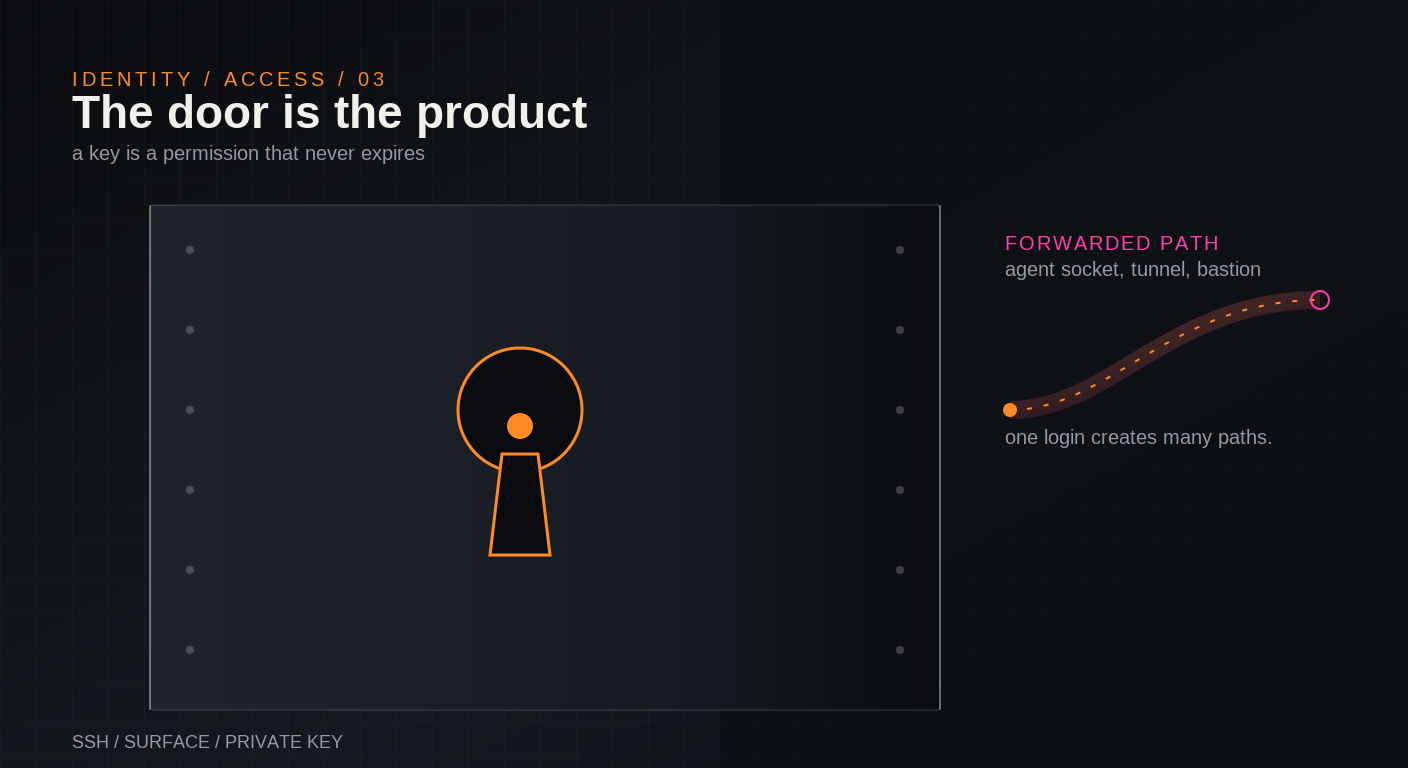
A key is a password that does not expire
A private key without a passphrase is a credential that survives copying, backup and loss. It does not become weaker because it is long. It becomes more dangerous because it is easy to reuse.
I want a separate key per person and per purpose, a passphrase on the key at rest, and a removal path that does not depend on remembering where the key was copied. The public key is not sensitive. The private key is the identity.
ssh-keygen -t ed25519 -a 100 -C "ray@workstation"
ssh-add -l
ssh-keygen -lf ~/.ssh/id_ed25519.pub
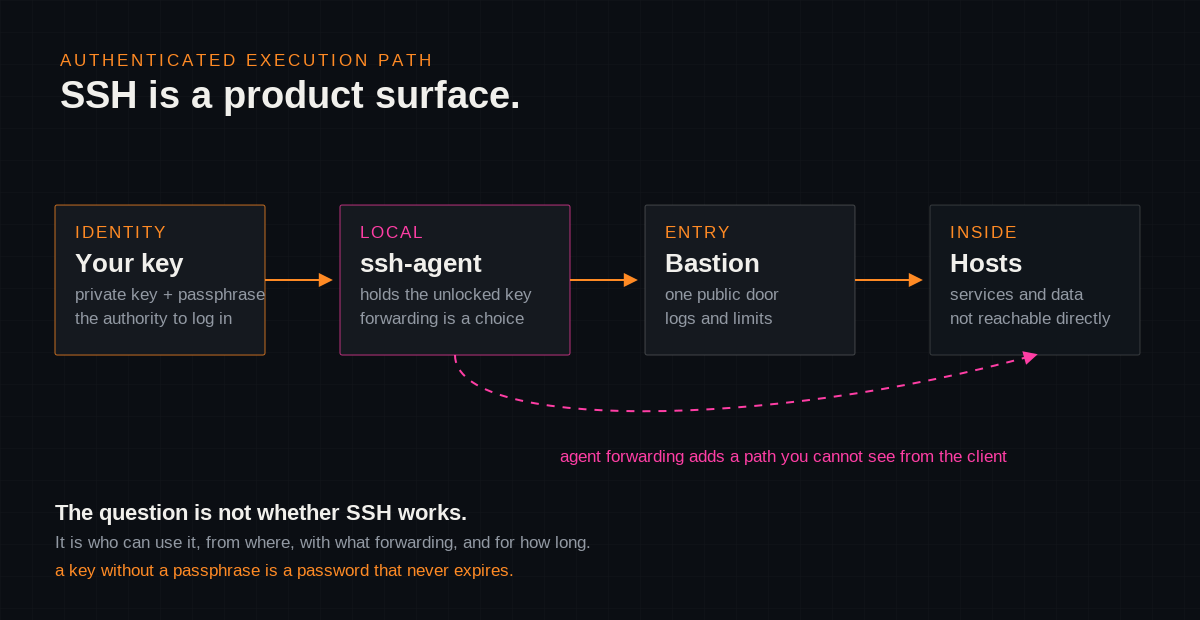
The agent is a convenience and a boundary at the same time. It holds the unlocked key so I do not have to type the passphrase for every command. If the agent is forwarded to a remote host, the remote host can use that identity while the session lasts.
The daemon is the contract
An SSH configuration should answer a small set of questions in plain language. Is password login allowed? Can root log in directly? Which users may authenticate? Can a session create a tunnel? How many attempts are allowed before the connection is closed?
A baseline for a host that only needs administrative shell access can look like this:
PasswordAuthentication no
KbdInteractiveAuthentication no
PermitRootLogin no
AllowUsers ray deploy
MaxAuthTries 3
LoginGraceTime 20
ClientAliveInterval 300
ClientAliveCountMax 2
AllowTcpForwarding no
X11Forwarding no
This is not a universal recipe. A host that is supposed to provide a tunnel needs forwarding, and a jump host has a different role. The point is that the answer is written down and reviewed, not left as the distribution default.
I check the effective configuration after editing it. A file with the right lines in the wrong `Match` block is still the wrong configuration.
sudo sshd -t
sudo sshd -T | grep -E 'passwordauthentication|permitrootlogin|allowtcpforwarding|permitopen'
sudo ss -tulpn | grep ':22'
Port forwarding is a product feature without a UI
A local forward turns an SSH session into a private tunnel. A remote forward turns the client into a listener on the server. Both are useful. Both create a path that did not exist before the command was typed.
ssh -N -o ExitOnForwardFailure=yes -L 8080:127.0.0.1:8080 user@hostThe details matter. `GatewayPorts no` keeps a remote forward bound to loopback. A long-lived tunnel can outlive the reason it was created. A tunnel opened by an automation account can become an undocumented production dependency.
If a host does not need forwarding, `AllowTcpForwarding no` is a clear boundary. If it does, `PermitOpen` can restrict the destinations instead of allowing the entire network behind the host.
Agent forwarding is a bearer token on someone else's host
Forwarding the agent does not copy the private key. It exposes the agent socket. A process on the remote host can ask the agent to sign something while the session is active. That is enough to use the identity, and it is why I treat `ForwardAgent yes` as a per-host decision, not a global convenience.
`ProxyJump` is often the cleaner answer. It routes the connection through a bastion without leaving the agent available to every process on the intermediate host.
ssh -J bastion.internal internal-host
ssh -a internal-host
The first command uses the bastion as a network hop. The second keeps agent forwarding disabled for that session. Both are easier to reason about than a global forwarding rule that nobody remembers.
Visibility is part of access control
I want to see successful logins, failed attempts, source addresses and the key or account that was used. That information belongs in a log with a retention period, not only in a terminal I close after the session.
On a small host, `journalctl` and a login limit may be enough. On a larger one, the bastion should be the place where sessions are recorded and access is reviewed. A key that nobody can attribute to a person is not an identity. It is a shared password with better branding.
journalctl -u ssh --since today
last -ai | head
sudo awk '$1 == "AllowUsers" { print }' /etc/ssh/sshd_config
I also want a removal drill. If a laptop is lost, can I identify its key, revoke it and verify that it no longer works? If the answer requires searching five `authorized_keys` files by hand, the access model is already too weak.
What I check before calling it done
- Password login is disabled for accounts that use keys.
- Root login is disabled unless there is a documented exception.
- Every key has an owner, a purpose and a removal path.
- Forwarding is disabled or explicitly limited per host.
- The effective daemon configuration is checked with `sshd -T`.
- Logs and failed-login limits are in place.
- A tunnel is treated as a temporary access path with an owner.
SSH works almost every time. That reliability is why it is easy to stop reviewing. The useful question is not whether the login succeeds. It is who can make it succeed, from where, through which path, and with what the session is allowed to reach.