
Writing
Your CI runner is a remote shell
A CI job looks like a button. You push a branch, a pipeline starts, a green check appears, and the merge feels safe. That button is a server executing code with a shell account.
The code may come from a colleague, from a fork, from a package registry, or from a workflow file that changed in the same pull request. The runner does not know the difference between a test and a command that reads the environment. It only knows what it was asked to execute.
I started treating CI as an untrusted execution environment, not as an extension of my laptop. The change is small at first. It changes which token is available, which branches can run, what a cache is allowed to contain and what a log is allowed to print.
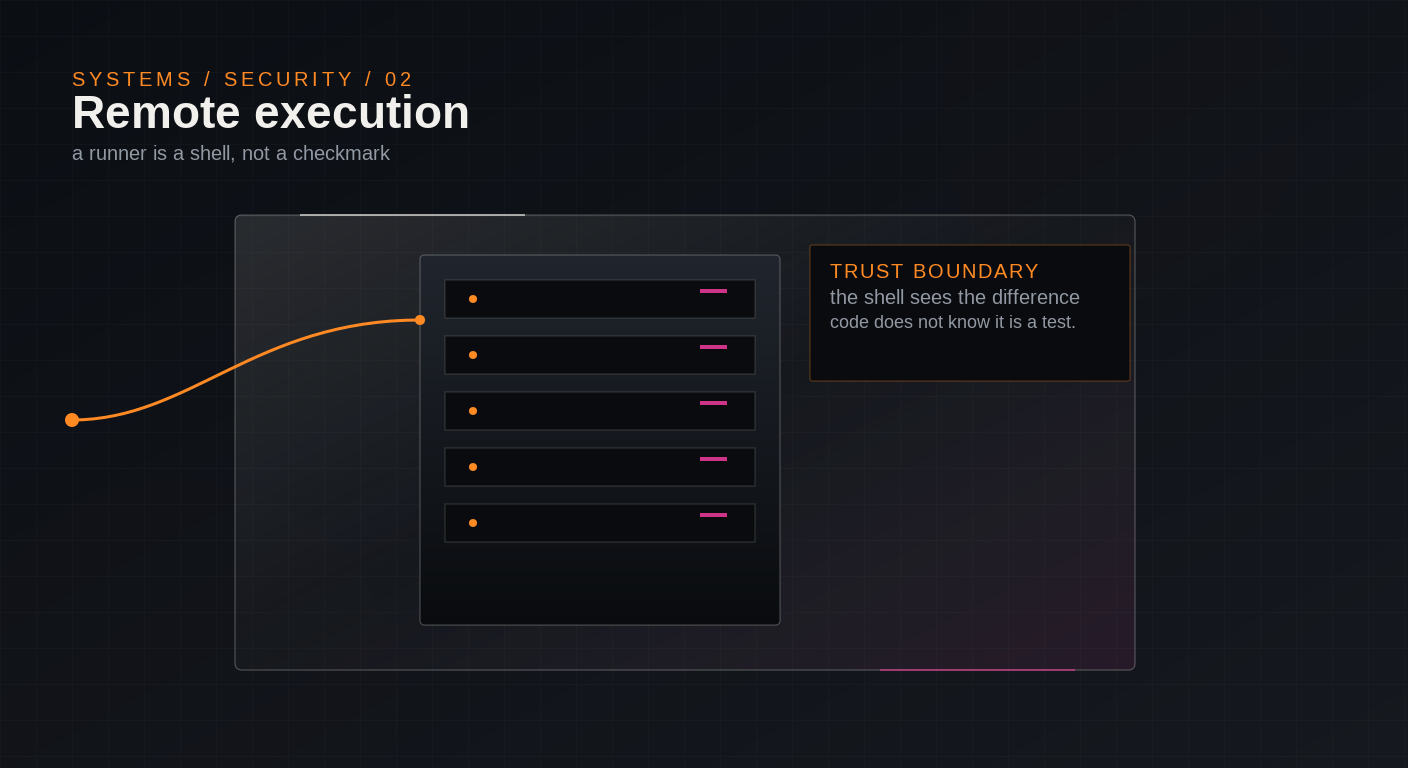
The runner is somebody else's computer
A hosted runner starts clean, which is useful. A self-hosted runner often does not. It may keep a workspace, a package cache, a Docker layer store and a shell home directory between jobs. That persistence is convenient, and it is also a way for one job to leave something behind for the next one.
I care less about the label on the runner and more about what survives it. If a job can write to a shared directory, a later job can read that directory. If a job can install a package globally, the next job inherits the change. If the runner has a long-lived token in its environment, every job on that runner has a path to it.
The safe default is boring: a clean workspace, a short-lived credential, no inherited secrets and no shared writable state between unrelated jobs. If a runner must be persistent, its boundary has to be documented as clearly as a database boundary.
A pull request is executable
A workflow is code, and a pull request can change code. That sounds obvious until the workflow runs with the repository token and a set of secrets that were intended for a trusted branch.
The exact event names differ between CI systems, so I check the behavior instead of trusting the name. Does a pull request from a fork get a read-only token? Can it read secrets? Does it run a workflow from the base branch or from the proposed branch? Can it publish an artifact or a package?
A minimal test job is a good starting point because it makes the permission decision visible:
name: test
on:
  pull_request:

permissions:
  contents: read

jobs:
  test:
    runs-on: ubuntu-latest
    steps:
      - uses: actions/checkout@v4
      - run: npm ci
      - run: npm test
This is not a complete policy. It is a baseline with one useful property: the job can read the repository and run the test suite, and it has no reason to write a release, a comment or a package. The token is no longer ambient authority for every step.
Third-party actions deserve the same suspicion as a shell script. A tag can move. A full commit SHA cannot. I pin actions to a commit when the action runs in a job that has any access at all, and I read the action's own workflow before giving it a token.
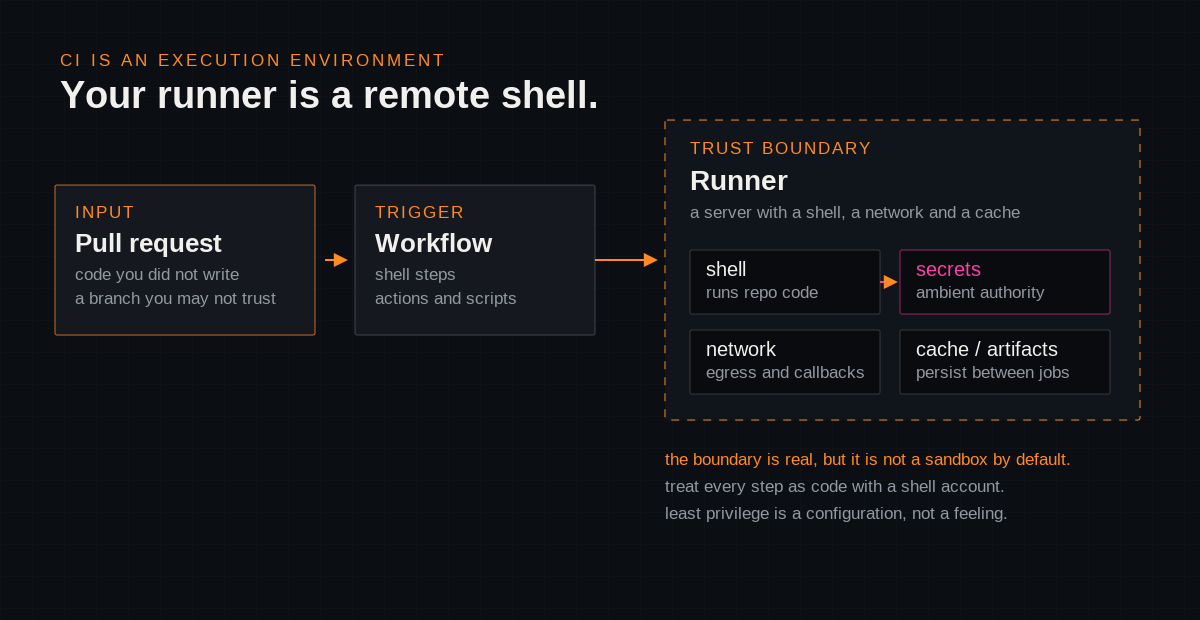
Secrets are ambient authority
A secret in a CI environment is not only visible to the step that needs it. It can appear in a child process, a stack trace, a test fixture, a debug dump or a log line written by a dependency. Masking helps with the obvious cases. It does not remove the value from the process.
These commands are useful for understanding a leak surface, not for running on a shared runner:
env | sort
ps -eo pid,args
docker inspect <container> --format '{{json .Config.Env}}'
The lesson is not that every job should run these commands. The lesson is that the environment is a copy of the secret. If a job does not need the value, it should not receive it. If a job needs a value, the value should have the smallest scope and the shortest life that still lets the job finish.
I also avoid passing secrets as build arguments. Build arguments can end up in image metadata, and image metadata travels with the image. A runtime secret belongs at runtime, not in a layer that was pushed to a registry.
A cache is a package with no signature
CI caches are a performance feature and a trust boundary at the same time. A cache entry is content that a future job will trust enough to restore and use. If an untrusted job can write the cache, it can influence a trusted job that restores it.
The fix is not to remove every cache. It is to separate the keys by trust level, avoid restoring a cache from a pull request into a release job, and treat an artifact as data from an external system even when it came from the same repository.
The runner has a network
A runner that can reach the internet can reach a callback server. A runner that can reach the internal network can reach more than the repository. The network path is part of the execution environment, not an implementation detail.
For a self-hosted runner, I want an explicit answer to four questions:
- Which repositories may schedule work on it?
- Which outbound destinations does a job need?
- Which credentials can a job obtain, and for how long?
- What remains on the machine after the job ends?
If those answers live only in a wiki page, they will drift. If they live in the runner configuration and in the workflow, they can be reviewed.
The settings I would keep
I would rather start with constraints that are easy to explain:
- Default the workflow token to read-only permissions.
- Do not expose secrets to pull requests from forks.
- Pin third-party actions to a commit, not a moving tag.
- Use a separate runner or a separate job for release credentials.
- Do not persist checkout credentials when the job only needs to read.
- Treat cache and artifacts as untrusted input on the way back in.
- Keep a short retention window for logs and know what they may contain.
A CI system is not dangerous because it runs a test. It is dangerous because it runs a test with the same trust we give a deployment, and we forget to draw the line between them.
The green check is useful. I just want to know what executed to produce it.